Comment autoriser un plugin payant ?

Autoriser un plugin payant
- Téléchargez le fichier d'autorisation depuis votre profil IRCAM Shop après avoir finalisé l'achat ou activé l'abonnement.
- Dans le plugin, ouvrez le menu déroulant principal (H1) et sélectionnez [Authorize] (ou cliquez sur le bouton d'avertissement [Demo]).
- Cliquez sur [Authorize], puis sélectionnez le fichier d'autorisation téléchargé (le glisser-déposer est également pris en charge).
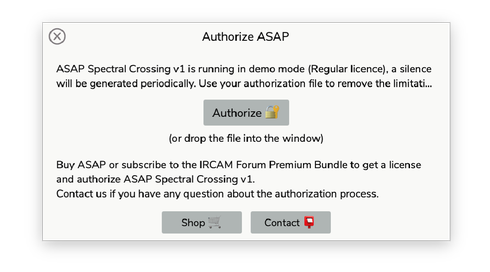
Une fois le plug-in autorisé, les indicateurs [Démo] disparaissent. La validation peut prendre quelques secondes.
Révoquer l’autorisation
- Dans le plug-in, ouvrez le menu déroulant principal (H1) et sélectionnez [Revoke].
- Cliquez sur [Revoke], puis sélectionnez le même fichier d’autorisation que celui utilisé pour autoriser le plug-in (le glisser-déposer est également pris en charge).

L’autorisation ne peut être révoquée qu’à l’aide du même fichier d’autorisation que celui utilisé pour autoriser le plugin.